
“Will this thing screen a customer in three minutes and hand me an insole they’ll actually buy?” — that is the question a shoe-store owner put to us at a fitting-equipment meeting, and it is the only question that matters for a podoscope on a retail floor. The Q1P is built for exactly that room. It is a podoscope-form device — the Foot & Leg Detection Insoles Customization System — that uses BodyftAi machine vision for a fast foot and lower-limb screen, then moves straight into on-site customization of biomechanical insoles during the same visit. This article is organised the way those conversations actually go: the question the store asks first, the question about what the screen shows beyond a mirror, the question about making the insole on the spot, and then how we answer the line between a quick screen and a clinical exam. No diagnosis is made and none is implied; the device records, and the professional reads.
The first question: will it screen a customer in minutes?
For a shoe store the clock is the constraint, not the clinical depth. A customer stands at the station expecting a short sequence — a capture, a readable report, a recommendation — and the operator has a few minutes, not an appointment. The Q1P is positioned for that floor. It is a podoscope-form quick-screen station: the AI machine-vision screening runs quickly and the report opens on the screen in front of the customer, so the capture and the result fit inside a normal fitting conversation.
The manual defines the Q1P as the Foot & Leg Detection Insoles Customization System, integrating foot data detection, lower limb biomechanical alignment detection and insole customization, using AI machine-vision instruments and a dedicated analysis system for rapid screening, then providing on-site insole customization according to individual data. The “rapid” part is not a marketing line; it is the design intent for a counter where the next customer is already waiting.
The heating box and the set of shaping pillows in the kit are what let the same visit end with a customized insole rather than a printed sheet. That closure — screen, then shape — is the reason the device is built for a store. A store that books the customization step into the appointment gets a product; a store that treats the screen as the whole event walks the customer to the door with paper.
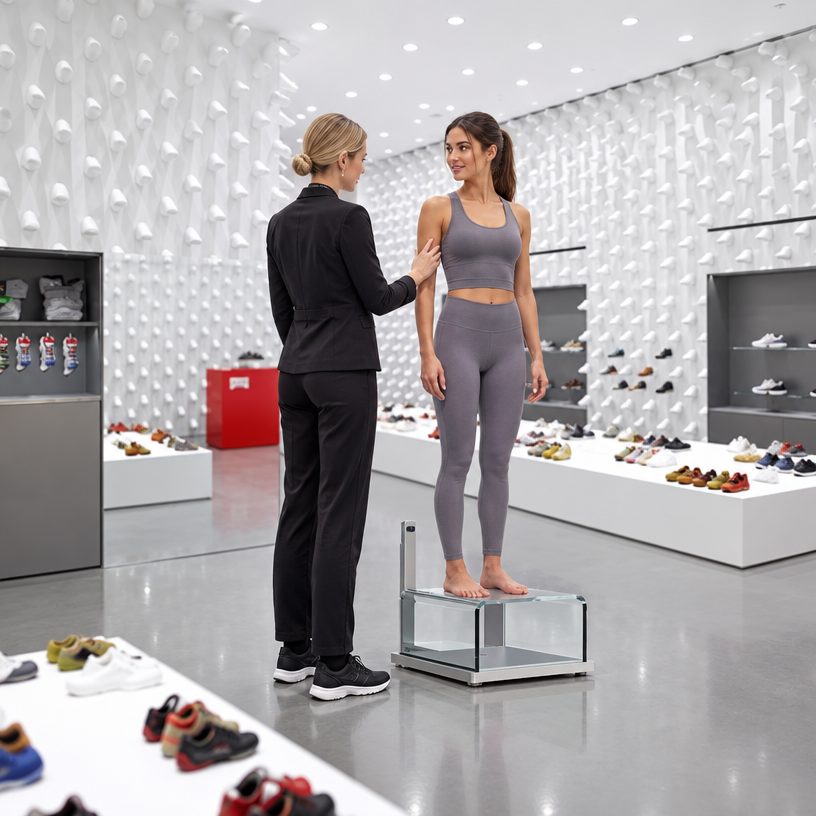
The next question: what does the Q1P show that a basic mirror podoscope doesn’t?
A basic mirror podoscope is a mirror under a glass plate. It lets an operator see the sole and the arch from below, and that is the whole record. Useful for a quick look, but it leaves the lower limb, the ankle and any customization to someone’s eye and a separate process.
The Q1P adds three recorded functions from its manual. Plantar data detection is the foot-side record — foot arch type, foot shape including patterns such as Egyptian foot, Greek foot and flat foot, and foot length and width that turn into a shoe-size suggestion. Lower limb biomechanical alignment detection extends the view up the leg, recording how the lower limb lines up, including observations such as calcaneal eversion, tibial internal or external rotation and hallux valgus. Ankle data detection covers the foot-ankle region so the record is not limited to the sole.
On top of those records the Q1P carries an on-site customization module for biomechanical insoles, which a mirror podoscope cannot do at all. The capture rests on BodyftAi machine vision recognition and an AI-assisted report generation step, with the record held on a SaaS platform so it stays accessible after the visit. None of the recorded items is a diagnosis; each is a characteristic the customer and the fitter can see and discuss.
It helps to read each line of the report as a record, not a verdict. Arch type records which category the foot presents in — a normal arch or a flat-foot pattern — and that is a description of the capture, not a condition. Foot shape records the toe-length pattern, such as Egyptian foot or Greek foot, which matters to a fitter mostly because toe-box shape follows it. Calcaneal eversion and tibial internal or external rotation record how the heel and the lower leg line up at the moment of capture; they are angle observations on a report page, and the report itself frames them that way. Foot length and width are the plainest records on the page, and they feed the shoe-size suggestion directly. Nothing on that list tells a store what to decide; each line tells the fitter what to look at next.
Stores put those records to work in three ordinary ways. The arch-type line tells the fitter which support level to talk through; the length, width and shoe-size suggestion turn the fit from guesswork into two measured numbers the customer can see; and the alignment observations give the fitter plain language for why one customer keeps wearing through the inside edge of a shoe while another does not. Several retailers we have spoken with keep the report on screen through the sale and walk the customer through their own record — a customer who has just seen their own arch type and their own measured width accepts the recommendation in front of them far more readily than one handed a generic size chart.
The same fields also drive the customization module. The arch record sets the support region the shaping set builds around; the width record sets the platform the insole has to fit; the alignment observations go into the note the fitter attaches to the order. Because the report and the insole come from the same capture, nothing is re-keyed between the screen and the shaping step — which is one reason the whole visit stays inside a normal fitting conversation. One more habit worth copying from stores that run this well: they file each report against the sale, so when the customer returns for a second pair, the fitter starts from the previous record instead of starting over, and the reorder conversation takes minutes rather than a fresh screen.
The third question: can it really make an insole on the spot?
Yes, and this is the step stores underestimate. After the data is captured, the on-site customization module supports biomechanical insoles using the heating box and the shaping pillows in the kit — adult, child and auxiliary — so a customized insole can be produced during the same visit. That detect-then-customize sequence is the reason the device is built for a store rather than a lab: the customer leaves with the insole, not just a report.
In our pre-sales calls we keep hearing store owners ask whether the heating-and-shaping step needs a second staff member. The honest answer is that the customization module is built to run inside a normal fitting conversation — capture, then heat and shape while the customer waits — and most stores run it with the same person who did the screen. The bottleneck is usually the workflow design, not the headcount, which is why we talk through counter layout before a unit ships.
The report that travels with the insole records foot arch type, foot shape, alignment observations and foot length and width with a shoe-size suggestion. Keeping the recommendation tied to the measured length and width is what stops the fit from becoming a guess, and it is the part stores tell us their customers actually trust.
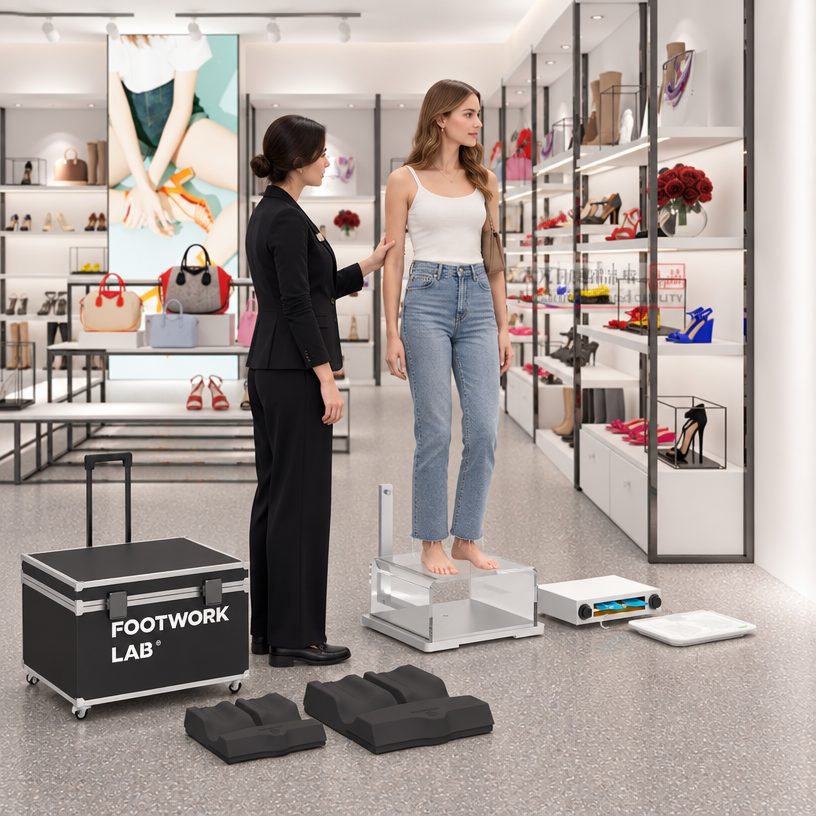
How we answer: where the quick screen ends and a clinical exam begins
The part of the report that matters most for compliance is the conclusion page. It states, in plain terms, that the conclusions are for reference only and that anyone with a medical need should consult a professional institution. That sentence is the official line between measurement and diagnosis, and it appears by design, not as a disclaimer bolted on afterwards. We keep it prominent because it is the honest description of what a quick screen is — the device records, it does not diagnose.
At one Vietnam shoe-fair booth, a store owner asked whether the Q1P could print the referral note his customers sometimes needed for a clinic. We explained that the report’s conclusion page points medical needs to a professional institution; the device screens and fits, it does not refer or diagnose. He had been presenting the screen as a health check to his customers, and the clarification changed how he described the station the following day.
For the rooms that are not a shoe store, the answer is a redirect, not a stretch. A clinic or sports facility that wants a gait record at running speed is usually better served by a treadmill platform such as our F5-LAB or a full posture system such as our X5. The Q1P is built for a retail-fit floor, and its conclusion page deliberately sends medical needs to a professional institution. Saying which device fits the room is part of the support, not a sales dodge.
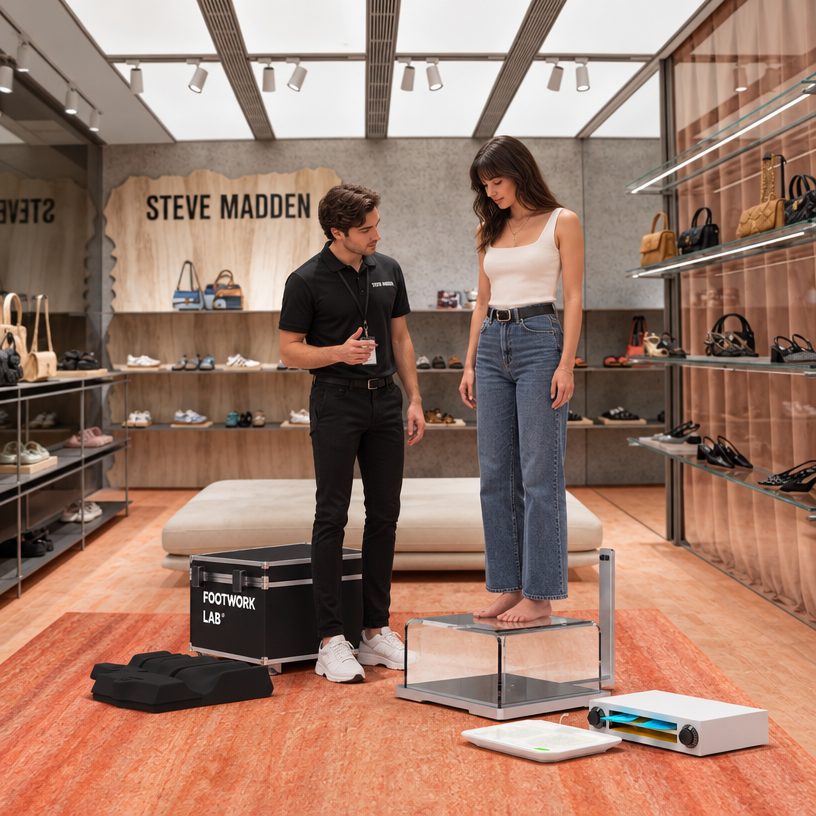
Frequently asked questions
What is a podoscope used for in a foot assessment room?
A podoscope is the shop-floor tool for a quick look at the foot — historically a mirror under a glass plate that lets an operator see the sole and arch. In a shoe-store assessment room its job is to screen a customer in minutes and turn the result into a fit recommendation, not a medical exam. The Q1P takes that same idea and adds machine-vision screening plus an on-site insole step, so the visit can end with a product rather than a printed sheet.
What does the Q1P add beyond a basic mirror podoscope?
A basic mirror podoscope shows the foot from below and little else. The Q1P adds three things from its manual: plantar data detection of the foot itself; lower limb biomechanical alignment detection, recording how the lower limb lines up including observations such as calcaneal eversion, tibial internal or external rotation and hallux valgus; and ankle data detection of the foot-ankle region. On top of those records it carries an on-site customization module for biomechanical insoles, which a mirror podoscope cannot do.
How does the Q1P support on-site insole customization?
After the data is captured, the on-site customization module supports biomechanical insoles using the heating box and the set of shaping pillows in the kit — adult, child and auxiliary — so a customized insole can be produced during the same visit. That detect-then-customize step is the reason the device is built for a store rather than a lab: the customer leaves with the insole, not just a report.
Which rooms use the Q1P?
The manual names shoe stores as the primary setting, and that is where the device is positioned — a retail floor where an operator has a few minutes with a customer and needs a clear result that leads to a product. A clinic or sports facility that wants a gait record at running speed is usually better served by a treadmill platform such as our F5-LAB or a full posture system such as our X5. We say so rather than present the Q1P as a clinical gait device.
What is the minimum order and how is it supported?
The minimum order for equipment is one unit. Every unit is tested before dispatch and carries a twelve-month warranty with free parts. Support runs through a dedicated engineer channel, remote assistance where a screen can be shared, and over-the-air updates for connected units. The software and the SaaS record side can be discussed during quotation.
Does the Q1P diagnose a foot condition?
No. The Q1P records foot data, lower-limb biomechanical alignment and ankle data, and supports on-site insole customization. It does not diagnose a foot condition; the report’s conclusion page states the results are for reference only and that medical needs should go to a professional institution. Interpretation of any single result stays with the professional and the customer.
What we would do next
If you run a shoe-store fitting station, write the two steps down as one workflow: the screen and the customization. Send us your counter dimensions and the average time you want per customer, and we will tell you whether the Q1P fits your floor and what the on-site insole step needs in power and space. Setting the workflow up correctly matters more to us than placing a device whose customization module sits unused.
If you already own a podoscope and the capture is not leading to a product, the gap is usually the customization step, not the screen. A defined heating and shaping routine is what turns a report into a sale, and it is worth designing before the device arrives. Start from the Q1P product page, then compare forms on the F5-LAB running platform, the X3 scanner or the X5 posture system, and review custom insole categories before you talk to our team.
This article is intended for professional and educational reference. It is not medical advice. Foot assessment equipment produces measurements and images; clinical interpretation and any decision about care remain the responsibility of a qualified professional. Certification scope is limited to the documentation we hold: European Union certification and ISO quality system certification.