
The enquiry usually arrives as a list rather than a sentence. A podiatry clinic sends five detection items, a shoe chain sends a comparison table from three suppliers, a distributor sends a tender document — and somewhere in the list sits the phrase orthopedic foot scanning device, often next to the words 3D scanner. Those two phrases describe different captures, and separating them at the quoting stage saves a great deal of disappointment later. A 3D scan records shape, meaning the surface contour of the foot. The X3 does not produce a shape file. It records foot pressure and force-line alignment, together with a walking video, and what comes out of it is the kind of record an orthopedic insole order can be written from. This article goes through the checklist an orthopedic buyer actually brings, what each line on it answers, and how a capture hands over to an insole.
The X3 manual names the system a Foot Pressure And Force Line Detection Insoles Customization System. Its six listed functions are foot arch detection, lower-limb biomechanical alignment detection, static foot pressure detection, dynamic gait detection, back-and-forth gait video recording, and insole customization. That list is the honest scope of the machine, and it is worth holding against any quotation you receive that uses broader language.
Reading the checklist behind orthopedic foot scanning device
The word orthopedic changes what a buyer is shopping for. A gym or a studio can treat a capture as a service extra; a buyer working in orthopedic supply is equipping a process that ends in a product or a referral, and the equipment has to fit that ending. That is why the enquiry so often reads like a specification: the buyer has already decided that a record will be produced, and now needs to know which records this category of machine can produce.
Taking the manual’s six functions in order, each line answers a separate question. Foot arch detection describes the arch as it presents under load, which is the version that matters when an insole is being specified. Lower-limb biomechanical alignment detection reads the line of the leg above the foot, so the arch is not assessed in isolation. Static foot pressure shows where load sits while standing. Dynamic gait detection shows what happens once the person walks. Back-and-forth gait video recording keeps the walk itself as something you can replay with the patient or the parent, which is often the part that makes a report credible in the room. Insole customization closes the loop on site.
What the checklist usually leaves out is a set of questions no supplier can answer for you: who reads the output, where the file lives, what happens when a reading and a patient’s account disagree, and who is allowed to say what to whom. Those are operational decisions, and they decide more about whether the machine earns its cost than the detection list does. A clinic that has answered them can work with a modest configuration; a clinic that has not will under-use a large one.
One tender we handled arrived with more than ten lines, including a request for a point-cloud export and a CAD design module. Neither belongs to this category of device. Rather than tick the boxes and correct it at acceptance, we marked which lines the X3 answers and which belong to a shape-capture workflow the buyer would have to source elsewhere. Two lines were removed from the specification and the order still went ahead. A quotation that overstates the scope is a problem that surfaces on installation day, in front of the person who signed it.
Shape capture and pressure capture answer different questions
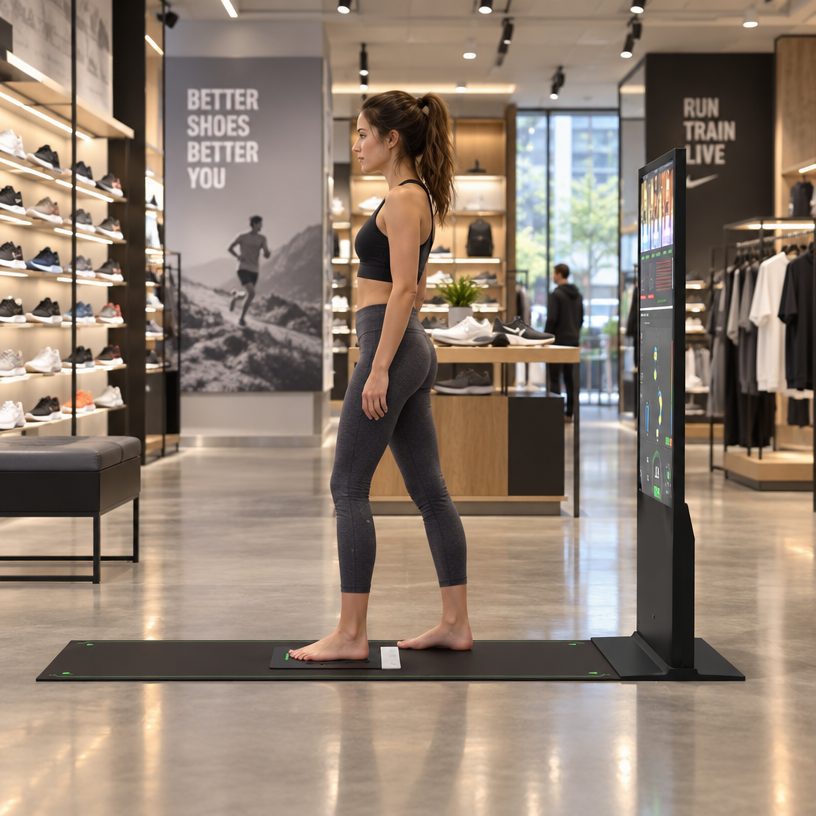
The market uses 3D as a category label for shape capture, and buyers are right to search with it — it is how the equipment family is described in listings, tenders and trade directories. What the label describes is a record of surface contour: the outside of the foot, captured as geometry, which is what a shell is milled or printed from, and what a last is built around. It is a legitimate and useful capture. It also answers a different question from the one an insole specification usually starts with, which is where load goes and how the leg lines up over it.
The X3 records the second kind. Pressure under the foot, static and in gait; the alignment of the lower limb; the arch as it presents; and a video of the walk. From that, an insole brief can be written — where the arch piece sits, how much support the wearer can tolerate, whether the shoe has room for what is being proposed, and what the wearer actually does during the day. None of those decisions needs a contour file. What they need is a record of load and alignment, taken in a repeatable way, plus a fitter who can read it.
At a trade event in Vietnam, a retailer put two quotations side by side and asked why one supplier described a scanner and the other a pressure plate for what looked like the same job. Both descriptions were accurate for their own machines. The retailer’s actual requirement was a fitting service that ended in an insole, and the shape file on the first quote would have needed a milling step he had no intention of buying. Buyers who need both captures usually buy them in sequence rather than pretending one covers the other.
There is a commercial reason to keep the wording straight as well. A device described as a shape scanner will be inspected as one, and the gap shows up in the first week: no contour output, no design file, no export to a milling workflow. Whatever a listing says, the acceptance test is run against the words on the page. We would rather explain the boundary in the quotation than defend it on site.
How the capture becomes an insole order
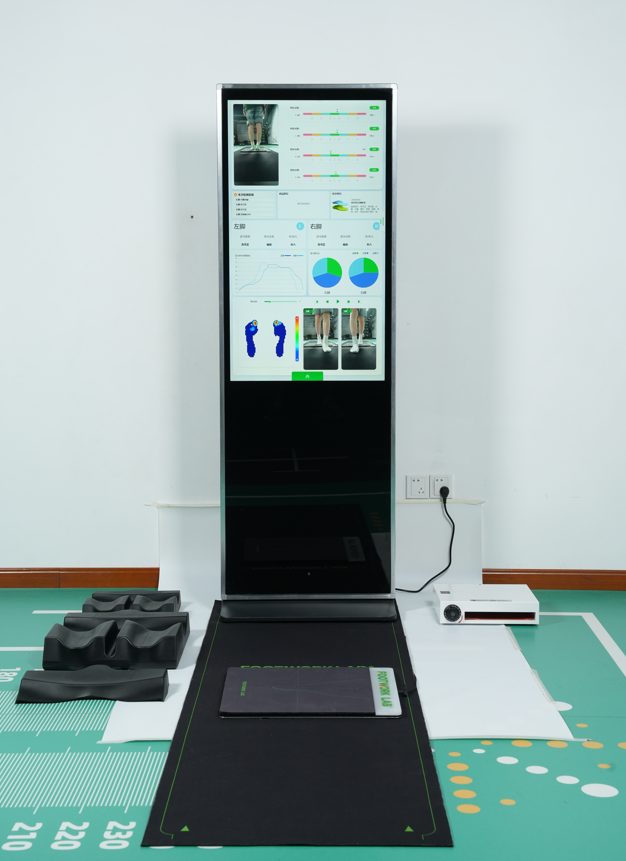
The session itself is short and follows the screen: foot images and alignment images are captured with the patient standing, the pressure plate records the static distribution and then the walking pass, and the gait video runs back and forth across the mat with the armrest available for anyone who wants it. The data builds a record against that person in the foot and ankle database, and the analysis is assembled with AI-assisted report generation rather than left as raw images.
The shoe recommendation is the part buyers most often misjudge. The system recommends from the shoe product information entered into it, which means a store that has not loaded its own stock gets suggestions it cannot sell. In practice, populating the catalogue is a first-week job that belongs to whoever runs the counter, and it needs revisiting every season. A retailer in Brazil told us the recommendation feature only became useful after they stopped listing brands they did not carry.
Customization then happens on the same visit. The shaping pillow set and heating box that ship with the X3 are used to form a biomechanical insole against the foot position on the record, and the design follows what the capture shows: where the load concentrates, how the arch presents, how much support the wearer can tolerate in the shoe they actually wear. The record informs the build; the fitter still decides, and a fitter who cannot explain a choice to the wearer should not be making it silently.
Delivery of the report is deliberately unglamorous, because the report has to reach the person who will keep it. It can be issued by scanning a code, sent to an email address, or printed on site. At the plant in Ruichang, insole samples leave within three days and production runs in the range of five hundred to a thousand pairs a day, which is the number that matters when a clinic wants to move from single pairs to a stocked programme. Insole orders start at two hundred pairs with mixed models and sizes accepted; equipment orders start at one unit.
What orthopedic buyers leave off the specification
A podiatry clinic tends to specify the detection items carefully and the paperwork not at all. The questions worth settling early are who signs the report, what wording accompanies a referral, and whether the practice wants the software layout adjusted — that last one is a customization and is quoted separately from the machine. A clinic that plans to hand records to another professional should decide the format before the first patient, not after.
A shoe store or chain usually underestimates the space and the staff time. The X3 needs a capture area with room for the mat and the walking pass, a counter position for the screen, and one person who owns the routine. Stores that treat the machine as a background fixture get a background result. The ones that put it at the start of the fitting conversation, with the catalogue loaded and the report explained in plain language, get the return.
A children’s fitness centre has a different constraint: the session includes a parent, and the parent will ask what the numbers mean. That is a communication job as much as a measurement one, and it is where a written boundary helps — the record describes what was measured today, and a growing child will be measured again. Anyone promising a trajectory from a single capture is overreaching, and the centre carries the consequence of that promise.
A distributor is buying years, not a unit. Spare parts, the over-the-air update path, who answers a support call in month fourteen, and whether a demo unit can be spared all matter more than a line on a comparison table. We quote those terms in writing because a distributor who has to guess at them will price the risk into the margin and lose the deal for the wrong reason.
Frequently asked questions
Is the X3 a 3D scanner?
No. A 3D scanner is the market’s label for equipment that records surface shape, and that is a different capture. The X3 records foot pressure, lower-limb force-line alignment, the arch as it presents under load, and a back-and-forth gait video. It does not output a contour file, and it is not offered as a shape-capture device.
Which detection items does the X3 cover?
Foot arch detection, lower-limb biomechanical alignment detection, static foot pressure detection, dynamic gait detection, back-and-forth gait video recording, and insole customization. Those six are the functions listed in the manual, and we quote against them rather than against a longer list assembled from other device categories.
Can it recommend a shoe from our own stock?
Yes, once the shoe product information has been entered into the system. The recommendation is drawn from the catalogue you load, so a store that has not entered its range will see suggestions it cannot sell. Keeping that catalogue current each season is part of running the system well.
How does the on-site insole customization work?
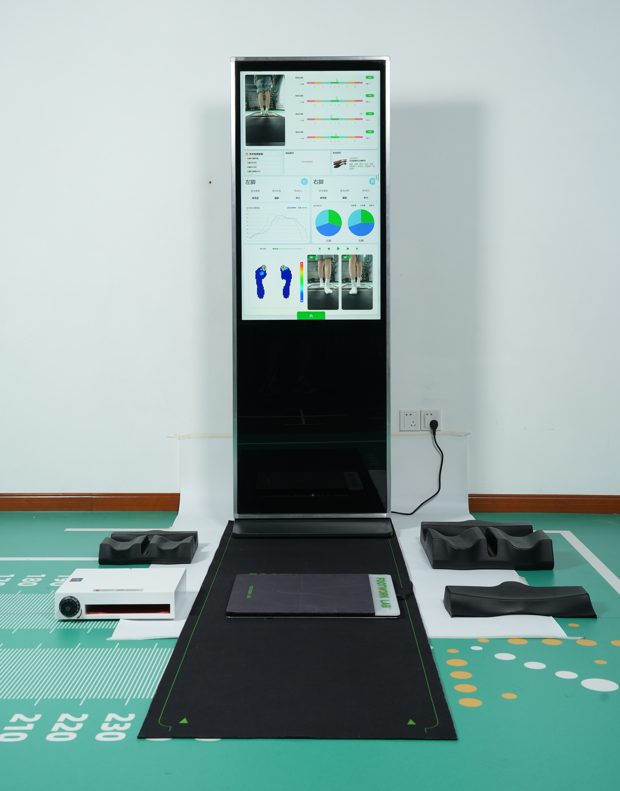
The X3 ships with a shaping pillow set and a heating box. After the capture, the insole is formed against the recorded foot position, with the design following the load picture and the alignment view. The fitter decides the build; the record supplies the basis for that decision. Insole production orders start at 200 pairs, mixed models and sizes accepted.
How does the patient receive the report?
By scanning a code, by email, or as a printed copy produced on site. The report presents measurements and images and states that the content is for reference; it does not name a condition or set out a course of care. Where a clinical question exists, the reading belongs to a qualified professional.
What support comes after delivery?
Each unit is tested for seven days before dispatch and carries a twelve-month warranty against non-human damage with free parts. Support runs through a dedicated WhatsApp group with our engineers, remote assistance where a screen can be shared, and over-the-air updates. Software customization is quoted separately from the equipment.
What we would do next
If you are writing a specification, send it to us as it stands — including the lines you are unsure about. We will mark which ones the X3 foot pressure and force line system answers, which belong to a shape-capture workflow, and which are operational decisions you will have to make in your own room. That reply is usually more useful than a quotation, and it costs nothing.
If the machine is already running and the insole work feels disconnected from the capture, start with the catalogue and the fitting sequence. The article on what sits behind an orthopedic assessment scanner listing covers the verification steps, and the insole range page shows how the daily, rehab and sport builds are separated. For terms of order, warranty and transit, our FAQ page carries the full wording.
This article is intended for professional and educational reference. It is not medical advice. Foot assessment equipment produces measurements and images; clinical interpretation and any decision about care remain the responsibility of a qualified professional. Certification scope is limited to the documentation we hold: European Union certification and ISO quality system certification.