
A customer steps onto the podoscope, the store runs a quick screen, and a few minutes later a document exists that did not exist before: a foot analysis report with her arch type, her foot shape, her shoe-size suggestion and a page of findings she will read twice — once standing at the counter, and once again at home tonight. Most buying conversations stop at the capture. They should not, because the report is the part of the Q1P workflow the customer actually takes away, forwards to her family, and compares against the next one. This article follows one report from capture to delivery to the moment it becomes a reason to come back — written for shoe-store owners and retailers deciding whether the paperwork side of the Q1P Foot & Leg Detection Insoles Customization System fits their counter.
The Q1P manual names it an intelligent scenario solution integrating foot data detection, lower limb biomechanical alignment detection, and insole customization — a podoscope-form unit built for rapid screening with AI machine vision recognition and on-site insole customization. The manual lists one application scenario: the shoe store. That matters for how the report is written, because the person reading it across the counter is a shopper, not a patient, and the document has to be useful to her without pretending to be a clinical document. The sections below walk the report’s whole journey in order, and end where the report itself ends: with the sentence that tells the reader what it is not.
What the capture stage records before a report exists
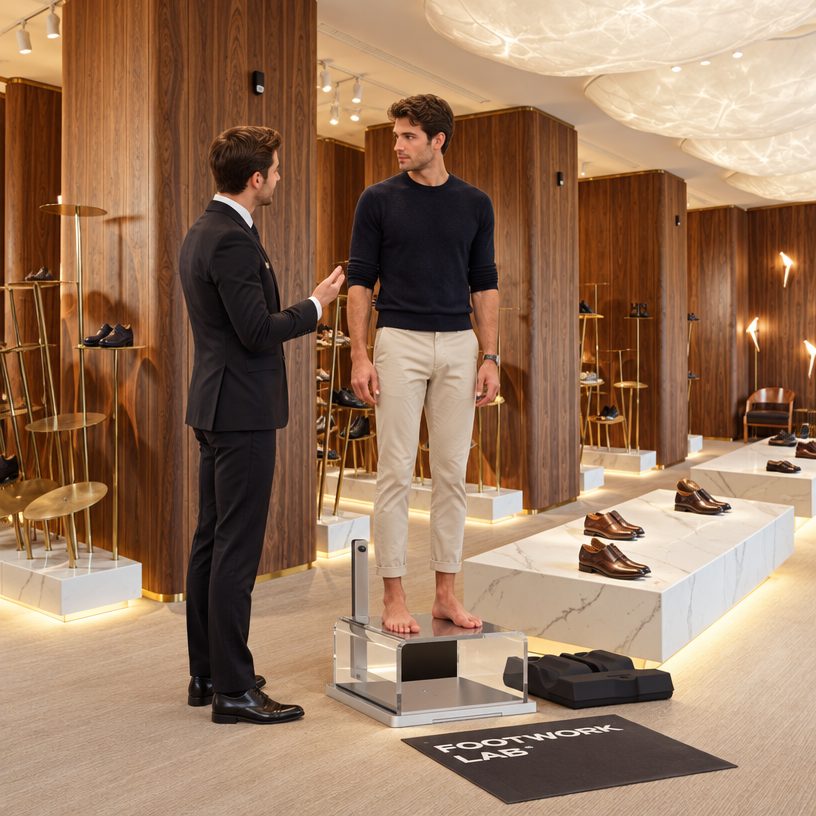
Every field in the finished report is decided during a capture that lasts a few minutes. The customer follows on-screen prompts through a short series of poses — standing straight, bending into a half-squat, standing with toes lifted — while the system’s machine vision records plantar data, lower-limb biomechanical alignment and ankle data. The instruction screen tells her exactly which pose to hold and when to move to the next, so the operator does not need to narrate anatomy; he needs to make sure she follows the sequence. The poses are not decoration. Each one exposes a different view: the toe-lifted stance, for instance, shows how the arch behaves under load change, which a plain standing view cannot show on its own.
From those few minutes the software assembles the raw material for every line of the report: arch type, foot shape — the report uses the common population labels such as Egyptian foot and Greek foot — hallux position, calcaneal eversion, tibial internal and external rotation, and foot length and width. None of these lines is invented later by the report generator; the generator organises and phrases what the capture recorded. That is why we tell retailers the capture is the part worth training hardest. A rushed pose sequence, socks left on, or a customer bracing against the unit all end up written into the document in ways no delivery method can repair.
We watched how much this matters at a fair in Dubai, where a retailer running a trial kept getting arch-type readings that contradicted what he saw when he looked at the customer’s wet footprint test at the sink. Walking through his capture recordings with our team on the second day, the cause turned out to be his prompts: he was telling customers to “relax and stand naturally”, and half of them were shifting weight onto one leg. Once his staff used the same on-screen instruction the demo unit used, the two records stopped arguing with each other. The hardware was identical both days; the pose discipline was not.
Inside a foot analysis report: fields that record, not conclude
The report itself is assembled with AI-assisted report generation: the software takes the capture, places each measurement into its field, and phrases a short comment beside each one. Read field by field, every line is a record rather than a verdict. The arch-type line assigns the foot to a labelled range — the software’s own categories run from normal to flat-footed — based on what the images show in that session. The foot-shape line is a population description, not a personal judgement: calling a foot “Egyptian” says where the big toe sits relative to the others, which is useful context when a shoe’s toe box has to be chosen. Hallux position, calcaneal eversion and tibial rotation are angle-style records: they state which way a structure points in that capture, with a note on what the software considers worth watching. Foot length and width are plain measurements, and the shoe-size suggestion is derived from them — a starting size to try, not a fitting that replaces trying the shoe on.
Two habits keep those fields honest on the shop floor. The first is phrasing: staff who say “the report shows your left heel rolls outward in this capture” stay inside what was measured, while staff who say “you have a heel problem” have left the record behind. The second is left-right reading: the Q1P records both feet in the same session precisely so the customer can see her own two sides compared, and most of the interesting lines in a real report are the differences between them, not either side alone.
The same session also feeds the store’s second product: the on-site biomechanical insole customization module. Where the report supports it, the fitter heats and forms a biomechanical insole on the shaping pillows while the customer waits, so the document and the product leave together. This is the pairing the Q1P was built around — the manual puts detection and customization in one system for exactly this reason — and the report is what makes the insole conversation concrete, because the customer is looking at her own fields rather than a generic display stand.
How the report leaves the store: a scan, an email or a printout
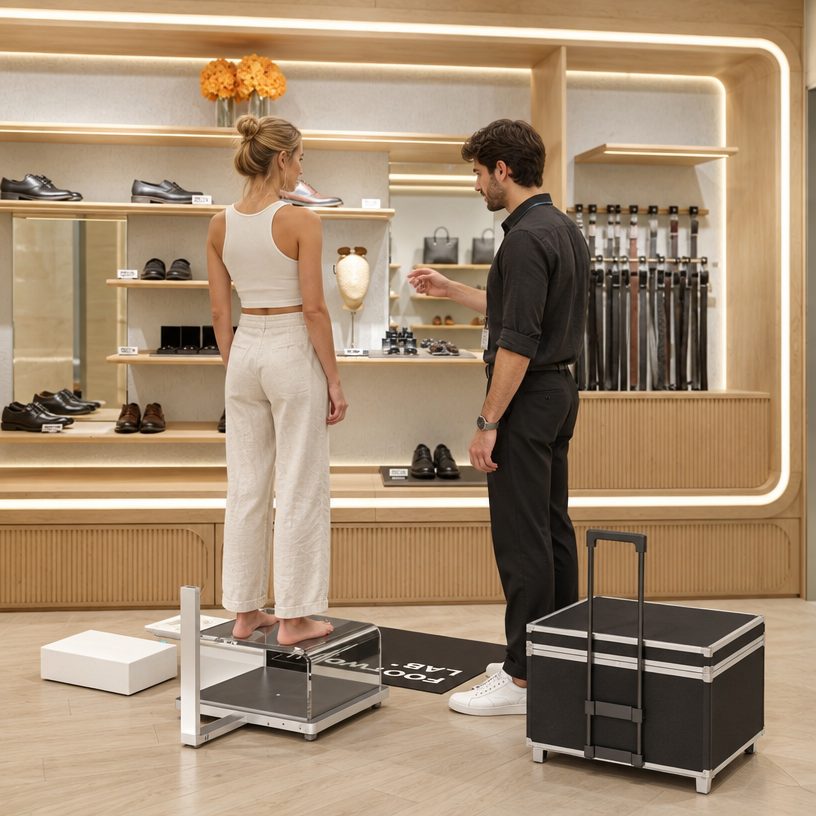
A report that never leaves the counter is a display, not a deliverable, so the delivery step deserves the same attention as the capture. The software supports three ways out: the customer scans a code with her phone and keeps the report there; the store sends it to her email address; or it prints a paper copy on the spot. In practice the phone copy is the default — it travels with her, it cannot be left in a shopping bag, and she can forward it to whoever she likes. The printout still earns its place for customers who want something to hand across a table, and for the moment at the counter when a physical sheet is what closes the conversation.
In our pre-sales calls, the question that keeps coming back is whether a store has to buy a printer before the system is worth running. Our answer is that online and on-site printing are both supported, and the choice is operational rather than technical: a store that runs the report primarily as a fitting tool usually lives on the phone copy and prints on request; a store that positions the screening as a paid or gift service often prints every report so the customer leaves holding something. Neither is wrong. What is wrong is having no settled answer, because an operator improvising the delivery step every time will sometimes skip it — and a skipped delivery undoes the whole session.
Delivery also settles the data question quietly. The session is stored in the store’s own software account, which runs on a SaaS basis; the customer’s copy is exactly that, a copy, and the store’s archive keeps the record against her profile. Stores that want particular behaviour around how records are kept can have the software customised, and that work is quoted separately from the equipment — it is part of the manual’s full-process service rather than an afterthought. We advise retailers to decide the retention question before opening day, not after the first customer asks where her file lives.
After the customer walks out: retests, the archive and the line the page draws
The last page of the Q1P report carries a fixed sentence: the findings are for reference only, and if there is a medical need, the customer should visit a professional institution for further examination. Retailers sometimes ask whether that line weakens the report. It does the opposite. It tells the customer the store knows the boundary of what it is doing — recording, not diagnosing — and it hands staff a ready-made answer for the moment a customer asks whether a finding means she needs treatment. The honest reply is that the report records what the capture showed, and a professional institution reads medical meaning into records; the store does not. A shopper trusts a counter that knows where it stops more than one that sounds like a clinic.
What the report should become instead is the store’s return-visit instrument. Because the session lives in the store’s archive against the customer’s profile, a second session months later can be placed beside the first: the same fields, the same layout, the two records side by side. That comparison is the natural re-entry point for the customer — a parent bringing a growing child back before a new season, a runner checking in after a change of shoes, a customer who bought custom insoles coming to see whether the next capture reads differently. Every one of those visits starts from the document she already has on her phone, which is why we describe the report not as the end of the sale but as the store’s cheapest marketing asset.
Our engineers see the difference archive discipline makes on support calls. One retailer we walked through a remote session had been running retests for two seasons but comparing them by memory, because his staff saved each report wherever the shift happened to end. Setting up one folder per customer, captured under the same instructions each time, turned a stack of loose documents into a series — and the first customer who came back for a comparison became the store’s most persuasive word-of-mouth story. The report did not change; the habit around it did. A retest is only worth the customer’s trip if the first record is findable and the conditions match.
Frequently asked questions
How does the customer receive her report?
Three ways, all supported by the software: she scans a code and keeps the report on her phone, the store emails it to her, or the store prints a paper copy on the spot. Most stores default to the phone copy and print on request, but the choice is operational — the point is to settle the delivery step before opening day so no session ends without the customer holding the document.
What is the shoe-size suggestion based on?
The measured foot length and width from the capture. The report derives a suggested size range from those two measurements, which makes it a starting point for trying shoes on rather than a final fitting. Shoe shape still matters — a wide foot and a narrow foot can share a length measurement — so the suggestion works best alongside the foot-shape line in the same report.
Where is the session data kept, and who owns it?
The session is stored in the store’s own software account, which runs on a SaaS basis, against the customer’s profile; the customer’s phone, email or printed copy is a copy of that record. Retailers who need specific retention behaviour can have the software customised, and that work is quoted separately from the equipment, as part of the full-process service.
When should a customer come back for a retest?
Whenever a comparison would be useful — a growing child before a new season, a customer whose footwear or activity has changed, or a wearer of custom insoles checking a later capture against the first. A retest is only comparable if the capture conditions match the original, so stores that get value from retests keep one written set of instructions and reuse it every time.
Can the customer take the report to a clinic?
Yes, and the report itself invites it: the conclusion page states the findings are for reference only and that medical needs belong with a professional institution. The document is a record of what one capture session showed, and handing it to a qualified professional is exactly the right use of it — the store’s job ends at the recording.
Does the Q1P report tell the customer what treatment she needs?
No. Every field in the report is a record — arch type, foot shape, hallux position, calcaneal eversion, tibial rotation, foot length and width — phrased as what the capture showed, not as a care plan. Where a finding deserves medical attention, the report directs the customer to a professional institution, and store staff should stay inside that boundary when they talk through the page.
What we would do next
If you are fitting out a store, decide three things on paper before the unit arrives: how every report will be delivered (phone, email, print — pick a default), where each session is archived, and the one sentence your staff will use when a customer asks whether a finding means she needs treatment. Send us your counter layout and staff size, and we will tell you how the delivery step fits your flow. The Q1P Foot & Leg Detection Insoles Customization System page carries the system overview, and our FAQ page covers order, warranty and support terms in full.
If you already run a podoscope and your reports are not being compared across visits, the fix is usually the archive habit rather than new hardware — one folder per customer, one written capture instruction. For how the report connects to the product it supports, see the insole categories, or contact our team to talk through a retest programme for your store.
This article is intended for professional and educational reference. It is not medical advice. Foot assessment equipment produces measurements and images; clinical interpretation and any decision about care remain the responsibility of a qualified professional. Certification scope is limited to the documentation we hold: European Union certification and ISO quality system certification.