
The crate came off the lorry on Monday morning, the platform was standing in the new room by Tuesday afternoon, and the first customer walked across it on Wednesday. By Wednesday evening the owner was on the phone to us: the record looked different from everything in the old folder, and the staff wanted to know whether the machine had been damaged on the road. It had not. The hardware travelled well. What had changed was everything a record depends on besides the hardware: the floor under the platform, the angle of the camera, the marks on the ground, and the habits of the people operating it. Questions about moving a foot scanner between sites reach our support desk constantly, because rooms change. Clinics relocate, a platform goes to an exhibition and comes home, a second branch opens in another district, or the machine passes to a new owner across town. The hardware survives all of these more often than the comparability of its records does, and the difference between a move that goes well and a move that quietly ruins a folder is a short list, written down and worked through in order. This article covers how the platform should travel, what has to be redone once it lands, why the first record in the new room should be treated as a beginning rather than a continuation, how to rebuild a baseline properly, and when the right call is to stop guessing and ask for an engineer.
What a move actually disturbs
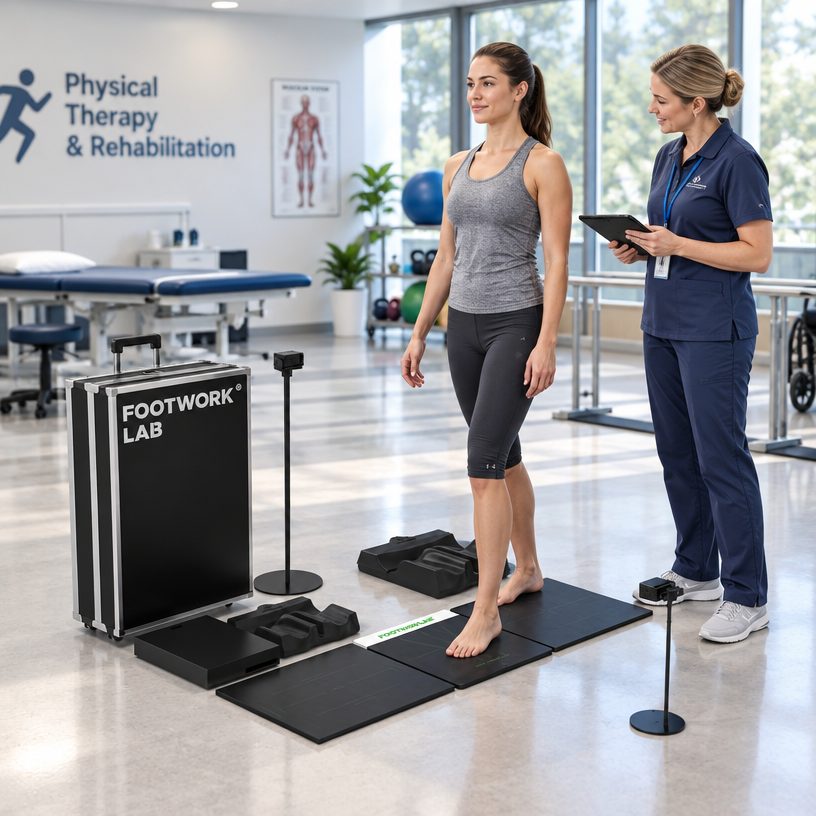
A commissioned platform is not one object. It is a set of agreements between the hardware and the room it was set up in: the sensing surface sits level on a floor of a given stiffness, the camera hangs at a height and angle chosen on installation day, the marks on the ground tell customers where to stand and where to begin walking, and the software carries settings matched to all of the above. None of that travels in the crate. The crate carries the machine.
This is why the same platform behaves differently in two rooms without anything being wrong with it. A floor that flexes slightly, a camera mounted a little lower than before, a walking approach a couple of strides shorter: each of these is small on its own, none of them is a fault, and together they produce a record that reads differently from the old site. Staff see the difference on the screen and assume damage. The machine is doing what machines do, which is describing its conditions as faithfully as it describes the foot.
Understanding which half of the system stayed home is the useful frame for the whole move. The half that travels is metal, sensors, cameras and cables, and it is protected by packing designed around it. The half that does not travel is everything measured and agreed on installation day, and that half has to be rebuilt by hand in the new room. The rest of this article is that rebuild, taken in the order we would do it ourselves.
Packing and transport
The original crate exists for a reason, and the reason is every courier who has ever dropped one. Platforms ship in packing designed around the sensitive directions of the sensing layer, with the weight resting where the structure expects it and padding where it does not. If the original crate was kept, use it. If it was discarded, tell us before the move rather than after, because a platform packed in improvised materials travels badly, and that kind of damage shows up later as a drift in the numbers rather than as a crack anyone can point at on arrival.
The small parts cause more first-day trouble than the platform does. Cables should be bagged, labelled and packed where the installer will find them, not looped around a stand wherever there happened to be space. Camera mounts and their fixing hardware go in the same bag, because a camera without its proper mount ends up propped on a stack of books, and a propped camera moves every time somebody walks past. Connectors deserve a look before anything is plugged in: grit from the road sits exactly where it should not, and a connector seated dirty and dry is the sort of fault that appears weeks later as an intermittent problem nobody connects back to the move.
Transport mode changes the preparation. A van across town mainly needs the crate and two careful people. Air freight and sea freight add weeks of humidity and temperature swing, so the machine should be wrapped against condensation and given time to settle and dry at room temperature before power goes anywhere near it. A platform carried from a cold lorry into a warm room and switched on straight away collects moisture on the coldest surfaces it has, which are precisely the ones nobody wants damp.
Floor, level and surface in the new room
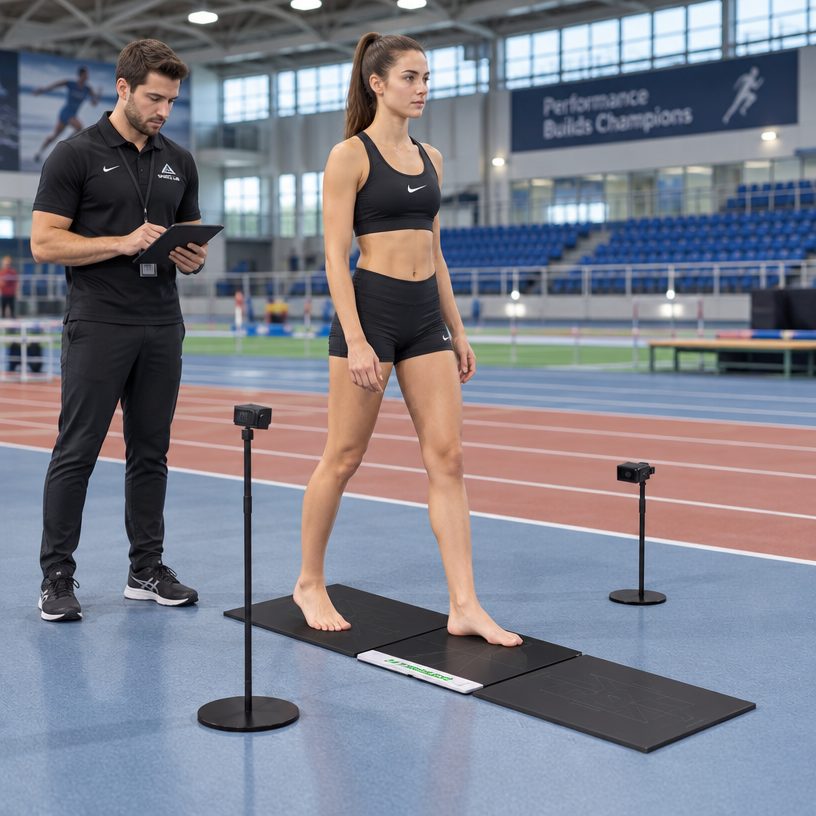
The first thing to rebuild is underneath the platform. Level matters, and so does stiffness. A tile floor on concrete behaves one way; a suspended timber floor flexes under every step; a thick carpet with underlay lets the platform edge rock by a hair and rocks every record with it. None of these floors is wrong. Each one is a condition, and the record will describe the condition as readily as it describes the customer, which is exactly the problem.
Vibration deserves its own look. A platform set against a wall shared with a compressor, a lift shaft or a busy corridor picks up traffic the old room never had. The standing record is where it shows first: a customer standing still produces a quiet image in one room and a restless one in another, and the difference belongs to the building, not to the person on the platform.
The approach matters as much as the platform itself. In the old room the walking passes may have started from a mark several strides back; in the new room the corridor may be shorter, and the first contact lands before the customer has settled into their pace. Our article on commissioning a platform in a clinic on installation day walks through these checks for a first installation, and a move is simply that day happening again, in a room nobody chose with the machine in mind.
Whatever the new floor turns out to be, the decision belongs in writing. One line in the room’s log: floor type, any shimming that was done, where the platform sits relative to doors and windows. That line is what makes the new site’s records explainable two years later, when nobody on the staff can remember which room the machine stood in or what was underneath it.
Camera position and the marks on the floor
The camera is the part most often rebuilt badly, because it still produces a picture wherever it is put. A camera mounted lower than its installation height, or angled differently, still shows a person standing on a platform, and the staff see an image and move on. What has changed is the geometry the alignment capture depends on. Posture and alignment views taken from a new angle are not wrong, but they are not the same view, and they do not sit beside the old site’s images in any honest way.
The fix is boring and it works. Reset the camera to the height and angle noted at installation, using the install sheet if it survived and a photograph of the old room if it did not. This is why we ask rooms to photograph the finished installation before the engineer leaves: the photograph does the work of a second visit. Then re-mark the floor. Where the customer stands for the static capture, where the walking passes start, which side they step off: all of it gets taped out again in the new room, and the tape positions get written down beside the camera settings.
The marks are part of the measurement, not part of the decoration. A walking pass that starts half a stride further back changes where first contact happens and how settled the customer is by the time they reach the platform. Two rooms with different marks produce two kinds of record, and the folder cannot tell them apart unless somebody wrote down where the tape was. Anyone who has read our piece on what the camera adds beside the pressure mat knows that the views and the pressure image are read together; the same discipline applies to everything in the room around them.
Power, network and software after reconnecting
Power first, and plainly: a wall socket that also feeds a refrigerator, a kettle and a photocopier is a different electrical neighbourhood from the socket the machine left behind. Sensitive electronics notice. If the new room cannot offer a quieter socket, at least note the fact in the log, because an unexplained glitch on a Thursday afternoon is much easier to explain when the log records what else lives on that circuit.
The network connection matters more after a move than at any other time. Our platforms update over the network when they are online, and remote assistance runs through the same connection. A machine left offline in the new room is a machine nobody can look into from a distance, which converts every small question into a scheduling problem. Connect it, let it reach the network, and let it check for updates before anybody judges what it is showing.
Software version deserves a sentence in the log next to the floor type. The temptation after a move, when something on screen looks unfamiliar, is to reinstall the software from whatever media is nearest, and that is exactly the wrong instinct. An old installer on a memory stick can put a previous version back onto a machine that was current, and the differences between versions look like faults. If the version on screen matches the version recorded in the folder, leave it alone; if something genuinely needs updating, it arrives over the network, not out of a drawer.
Settings either carry over or they do not, and the move is the moment to find out which. Session types, report layout, the naming convention the old staff used: check all of it while there are no customers waiting, because every one of these discovered mid-session becomes a compromise made in front of an audience.
Why the first record after a move is not a record yet
A record earns the right to be compared with an earlier one by being taken the same way. Same conditions, same camera geometry, same marks, same floor behaviour, same session protocol. After a move, none of that holds, however carefully the re-check list was worked through. The room is new, and the room is part of the instrument.
This is not a defect of the equipment or of the staff. It is how measurement behaves anywhere. The numbers describe a foot under a set of conditions, and when the conditions change, the numbers change, and that change does not measure anything about the foot. An operator who lays the first post-move record beside the last one from the old site and announces a difference has described the move, not the customer. Our piece on calibration, care and records that stay comparable makes the same argument for the slow drift that happens without any move at all; a relocation is that drift compressed into a weekend.
The practical consequence is a labelling habit. The first sessions in the new room belong in a folder marked as post-move, and nothing in that folder gets compared with the old site’s records, not by staff and not in front of customers. Customers will ask, because they remember their earlier report. The honest answer is short: the room changed, the machine is the same, and a new starting record is being built so that every future comparison has solid ground under it.
There is a second, quieter benefit to treating the first record as a beginning. It removes the temptation to explain differences away. Once the folder says the old and new records are not comparable, nobody spends an afternoon inventing reasons why the arch line moved, and the team’s attention goes where it should: to building a clean new baseline for the room they actually work in now.
The re-check list, the baseline session, and the phone call
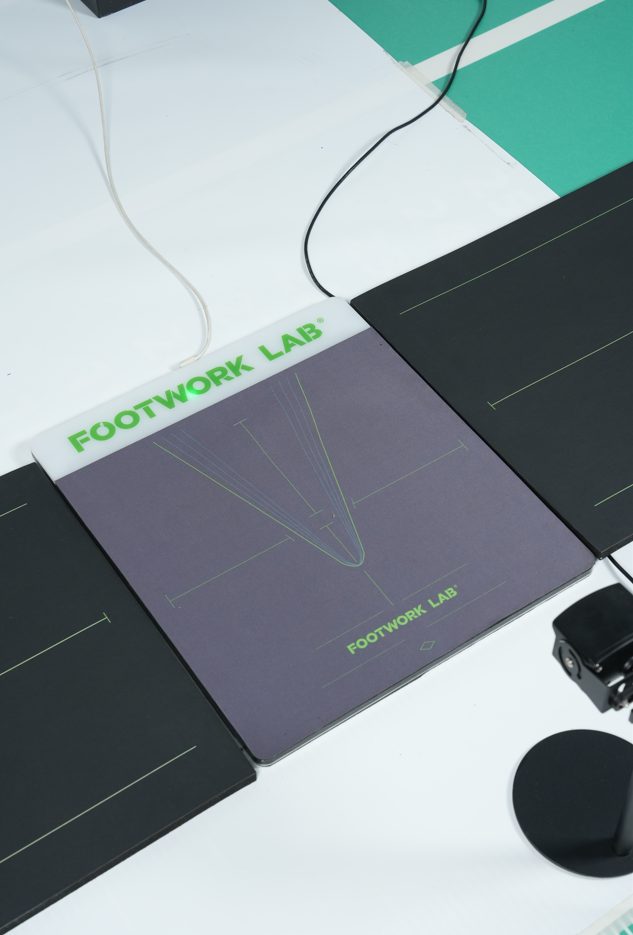
The list itself is short enough to hang on the wall. Crate opened and machine settled at room temperature. Connectors inspected and cables seated dry. Platform level and stable on the new floor, edges not rocking under weight. Camera back at its recorded height and angle. Floor marks taped out and logged. Machine online, version checked, updates applied. Test passes run and read by the person who ran them. Only then does the first customer step on.
The baseline session is how the new site gets its history back. Run the ordinary protocol on a willing member of staff or on the first cooperative customer of the day, file it as the new baseline, and write one line in the log: date of the move, date of the baseline. From that record forward, comparisons are honest again. It is the same habit our article on building a habit of repeat scans describes for a customer’s second visit; a moved platform simply needs its own second visit, with the paperwork to prove it.
The phone call we mentioned at the start is worth retelling, because it is the most common first-day call we take after a customer moves. The owner said the lines were gone from the screen, and the staff were convinced the transport had damaged something. Our engineer asked two questions before anything else: which session type had been run, and which software version was showing in the corner of the screen. The answers explained everything without a single part being replaced. The staff had run the standing quick check, which does not draw force lines, and the machine had been put back on an older software version because somebody had reinstalled from a memory stick during the packing week. The force lines are drawn by the analysis software, as our article on reading force lines as direction rather than diagnosis explains, and the quick-check mode is not the session for them. The machine was connected to the network, updated overnight, and the lines were back by morning. Nothing had been damaged on the road at all.
When does a move deserve an engineer? After the list has been worked through honestly, in these cases: the numbers still drift on clean test passes, a connector or cable shows damage, the camera cannot be seated back at its recorded position, or the record looks wrong in a way that survives every item on the list. Our after-sales support runs through a dedicated message group with direct access to the engineers who built the machine, and most of these conversations end without a site visit. The ones that do not end there are the reason the list exists: a move that is checked properly is a move we rarely have to attend.
Frequently asked questions
Can our own staff move the platform, or do we need a technician on site?
Your own staff can move it, provided the original packing is used and the re-check list is worked through in order at the new site. We support the process remotely through a dedicated message group, and a technician visit can be arranged when the situation genuinely needs one. Most moves we hear about are completed by the clinic’s own team without a visit.
Does moving the platform affect its calibration?
The sensing surface does not lose calibration from being carried, but the system around it changes: floor, camera, marks and settings. That is why test passes come after every move, read against the machine’s own behaviour rather than against customer records. If drift persists on clean passes, contact support rather than adjusting anything yourself.
Why can the first record after a move not be compared with the old records?
Comparison only holds between records taken under the same conditions, and the conditions include the room: floor stiffness, camera geometry, floor marks and session protocol. A move changes them all at once, so the difference between the two records describes the move, not the foot. Rebuild a baseline in the new room and compare forward from there.
What should be checked before switching the machine on in the new room?
Let the machine settle to room temperature and dry out after transport, inspect connectors before seating cables, confirm the platform sits level with edges not rocking, then connect power and network. Run test passes before the first customer. Switching on straight out of a cold crate is the step that causes the avoidable faults.
Does the platform need an internet connection?
Records can be taken offline, but we recommend connecting it. The network carries software updates and remote assistance, and after a move it is the fastest route to an answer. An offline machine converts small questions into scheduling problems, because nobody can look into it from a distance.
The force lines disappeared after our move. Is the machine faulty?
Usually not. Check which session type was run, because the quick-check mode does not draw force lines, and check the software version shown on screen, because a reinstall from old media can put back a version that behaved differently. Update over the network, then contact support through the message group if the lines are still missing.
How soon after a move can we take customer records again?
There is no fixed calendar. The answer is when the re-check list is complete and the test passes look consistent with the machine’s usual behaviour. The first customer session after that should be filed as the new baseline, dated and noted as post-move, and comparisons should run forward from that record rather than back to the old site.
What we would do next
Print the re-check list before the move rather than after it, and leave one blank line at the bottom for the item only your room knows about. Work it in order, run the test passes, and file the first customer record as the new baseline with the move dated in the log. Sharing one unit between a clinic and a studio covers the related case of a platform that moves between businesses on a schedule, what a foot scanner needs from service after year one sets out the support picture for a machine already in daily work, and who runs the scan and how staff are trained matters here because a move often lands on staff who never saw the original installation. The FMP system page describes the pressure and posture capture in the equipment’s own terms, and the FAQ page collects the operational answers we give most often by message.
This article is intended for professional and educational reference. It is not medical advice. Foot assessment equipment produces measurements and images; clinical interpretation and any decision about care remain the responsibility of a qualified professional. Certification scope is limited to the documentation we hold: European Union certification and ISO quality system certification.