
A buyer at the Brazil exhibition searched podologia scanner on his phone while standing in front of the Q1P, then looked up and asked the fair question: is this the thing the search describes? It is close enough to be useful and different enough to be worth a full explanation. Podologia — the word shoppers in Portuguese- and Spanish-speaking markets use for foot-care expertise — sends him a stream of customers who want their feet looked at before they buy shoes or insoles. What his floor actually needs is not a clinical instrument but a quick screen: one that finishes in minutes, produces a report the counter can hand over with confidence, and knows exactly where its job ends. The Q1P is our answer in that category — a foot and leg quick-screening system in podoscope form, built around the shoe store. This article follows the screen as it actually runs behind a counter: what a few minutes at the podoscope produces, what the line at the bottom of the conclusion page means and why we will not remove it, when the operator should stop and refer instead of continuing, and how the whole thing fits into a store day without becoming a second queue.
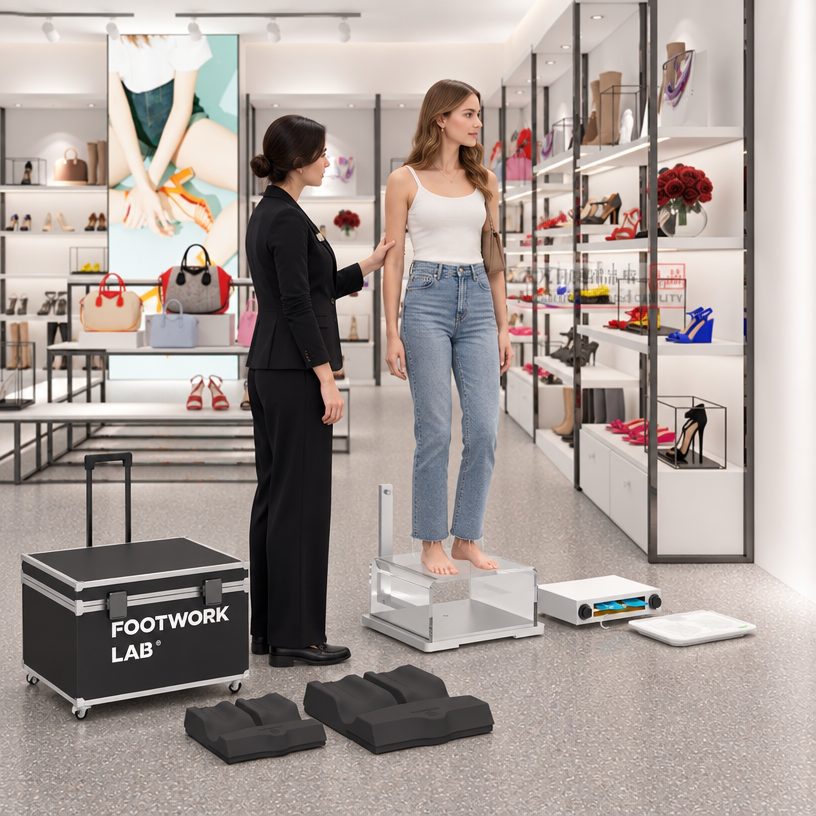
The Q1P combines plantar data capture, lower-limb biomechanical alignment detection and foot and ankle data in one machine, with an on-site customization module that carries a record through to a biomechanical insole. It ships with camera accessories, a floor mat, the heating box and shaping pillows for the customization work, a suitcase for the portable side of its life, and the manuals and toolkit. None of that list decides anything about a customer’s health — and the machine’s own report says so, which is where this article eventually arrives.
Podologia is how buyers search; a screen is what the counter needs
The word matters because it defines the customer’s expectation before they reach the machine. Someone who arrived via a podologia scanner search is expecting expertise — a look at their feet by something that knows more than they do. What they will actually receive is a record: arch type, foot shape, alignment readings, a size suggestion. Those are honest, useful and fast, and they are not an examination. A store that lets the expectation and the delivery drift apart will hear about it in the review section, so the first task is a sentence at the start of every session: this shows us your feet today, it is not a medical check.
Behind the search term there is also a category confusion worth clearing with buyers rather than shoppers. The market surrounding these machines mixes in scanners of every kind, and some shoppers arrive half expecting a three-dimensional shape capture of their foot. The Q1P does not make shape files; it records pressure, alignment and foot data, which is the raw material a fitting conversation and an insole build actually consume. We would rather a buyer know this at the demonstration than at the installation, and we say it in the first reply to every enquiry.
Why a quick screen at all, when a fuller assessment system exists? Because the counter has its own economics. A screen that finishes earns its floor space session after session; a twenty-minute assessment in a shoe store becomes an appointment the staff quietly stop offering by the second week. The Q1P was built for the pace of retail — minutes per customer, prompts that carry the routine, and a report that hands the conversation back to the person who can actually sell a shoe.
There is a portfolio answer too, because the same store often grows into more than one machine. Retailers who start with the Q1P and later add a fuller pressure-and-alignment system tend to keep the screen at the counter for volume and move the long cases to the bigger capture. We flag that path at the enquiry stage when a buyer’s plan clearly points there, and equally we flag the reverse: a single-screen store does not need to hear a pitch for a second machine until its routine says so. The category word brings people to the door; the workflow decides what they actually carry to the till.
What a few minutes at the podoscope produces
The customer steps onto the machine’s foot area, the cameras and the software do their capture, and the report comes back with a set of findings any fitter can work from. Arch type as the foot stood under load. Foot shape — the classical descriptions, including the flat-foot reading where one applies. Hallux valgus, recorded. Calcaneal eversion, recorded. Tibial internal and external rotation. Foot length and foot width, and with them the item shoe-store customers appreciate most: a shoe size suggestion to start the fitting from.
That size suggestion deserves a precise explanation, because it is the screen’s most quoted output and the easiest to overstate. It is a starting point measured from the foot on the day — not a verdict on the customer’s size, and not a substitute for trying the shoe. Stores that present it as the first fitting step, followed by the actual shoe, report that it speeds the conversation up rather than shortening it; the customer argues with the tape measure less when the number comes off their own feet.
The alignment items — the eversion and the tibial rotation readings — do quieter work in the same report. A fitter who sees a marked calcaneal eversion reading will steer differently inside the shoe wall than for a customer whose heels read neutral, and the tibial rotation reading shapes which last shapes get pulled first. None of these items name a problem; they describe how the leg and foot lined up in the capture, and the professional at the counter decides what, if anything, to do with the description.
The software assembles all of it with AI-assisted report generation, and the layout stays deliberately plain: findings, images, the size suggestion, the closing line. Store staff learn to read it in an afternoon. That accessibility is a design decision, not a compromise — a report only the manager can interpret is a report the floor will abandon.
The line at the bottom of the conclusion page
Every conclusion page the Q1P produces carries wording to the effect that the findings are for reference only, and that anyone with medical needs should visit a professional institution. It is built into the report, in the same spirit as the for-reference lines on every system we make. We have been asked, more than once and by more than one buyer, whether the line can be removed so the sheet looks more authoritative. The answer has been no every time, and it will stay no.
The reasons are worth spelling out because they are the store’s protection as much as the customer’s. A quick screen taken by retail staff, in seconds, under retail conditions, must never present itself as a clinical result — and the line is what keeps the two categories apart on paper. When a customer later seeks care and brings the sheet along, the line tells the clinician exactly what the document is. And when a dispute or a review arrives, the line is the store’s evidence that it set expectations honestly from the first minute.
Measurement is not diagnosis, and the line is that sentence in print. The screen records; the fitter explains; the clinician, where one is ever needed, decides. Stores that internalise this ordering use the machine more confidently, not less, because every conversation now has a clear shape: what was measured, what it describes, what happens next in the store, and what belongs somewhere else entirely.
When the operator stops and hands over
A quick screen needs a stopping rule as much as a running routine, and ours is short. The operator stops when the customer describes pain — current pain, or a recent episode, or anything getting worse. The operator stops when a finding is one-sided and unexplained, or when a customer is visibly worried by what the report shows. In those cases the session ends with the report handed over, the reference line pointed out, and a suggestion that a professional institution is the right next address. No build is offered, no shoe is steered, and the money for an insole stays in the customer’s pocket.
Staff sometimes feel this loses sales, and the field experience says otherwise. A customer in pain who is respectfully referred remembers the store that did not sell to them; several of the stores we work with trace a share of their insole repeats back to exactly those declined sessions, once the clinical side was settled and the customer came back to fit shoes properly. The stopping rule costs minutes and buys the category’s reputation.
What the operator should never do is interpret. Not “that looks like a bunion coming”, not “your arches have fallen”, not any sentence that converts a recorded item into a claim. The report lists findings; the customer can read them; the operator explains what the items mean as descriptions and stops at the border. This is the second thing we train during installation, right after the capture routine itself, because it is the sentence most likely to be said under the pressure of a busy Saturday.
Where the screen sits in a store day
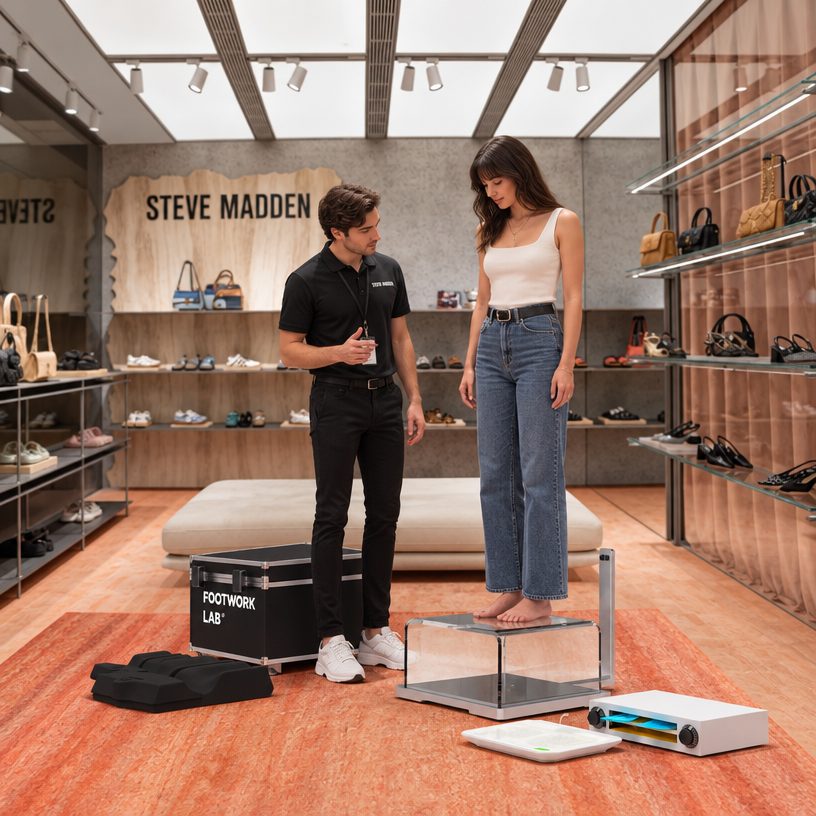
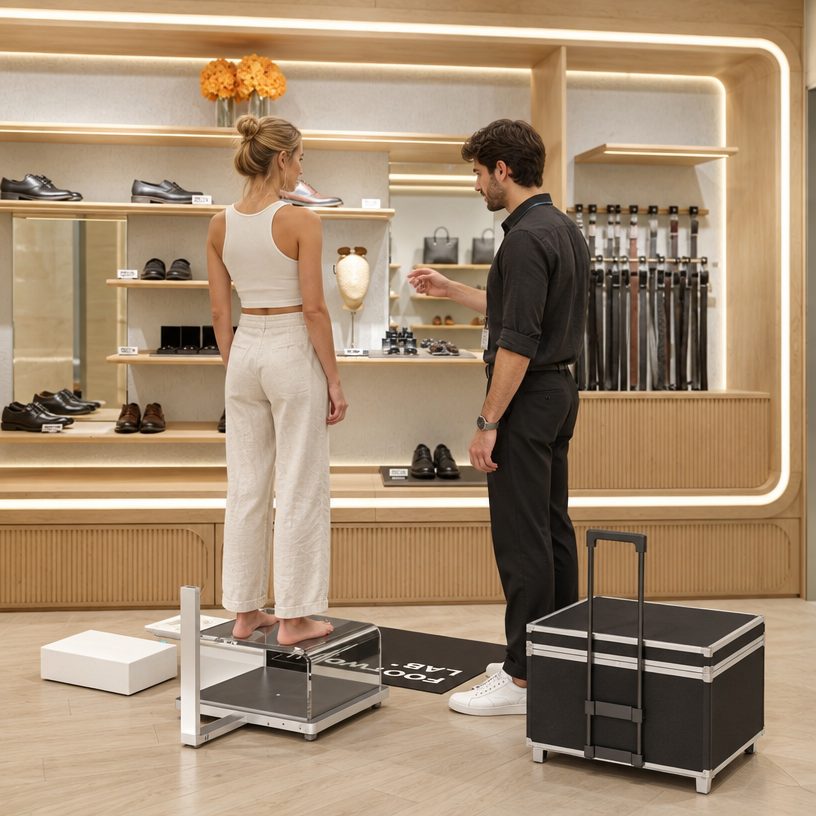
In the stores that get the most from the Q1P, the screen is not an event but a step. It sits at the front of the fitting conversation: stand on the machine, take the report, use the size suggestion to open the shoe selection, and let the findings inform which models get pulled from the wall. The whole addition to a normal fitting is a few minutes, and the report gives the customer something to hold during the part of the visit where they would otherwise be waiting.
For the insole side, the customization module turns the same session into a build: a specification chosen by the fitter from the record and the shoe, then the heating box, the shaping pillows, a trim, and a check inside the customer’s own footwear before they leave. The shoe check comes first in our training order, before anything reaches the heating box — a build that will not sit in the shoe should never be formed in the first place. The module shares the same footprint discipline as the screen: it must live inside the store’s normal rhythm, or it becomes the corner nobody staffs.
Staffing follows the same pattern as any counter skill. One named operator learns the routine first, a second learns it alongside, and the floor marks for the machine’s position go down in the first week so the capture conditions stay stable. On one support call, a store’s reports started looking inconsistent between shifts; the cause was not the machine but two staff running two slightly different routines. One page of written routine and a shared handover fixed it in a day, which is the shape most retail support calls actually take.
Peak days deserve their own plan, because the screen’s popularity is the thing most likely to break it. When a queue forms, the temptation is to skip the explanation of the report and hand it over silently — which is how the reference line stops being read aloud and how, a month later, a review appears saying the store played doctor. Stores that handle volume well set a visible rule instead: the screen runs only as long as the explanation does, and if the queue is too long for both, the screen waits. Customers queue happily for a thing that is properly done; they do not forgive a thing that was rushed at them.
Ordering the screen for a fitting floor
The commercial facts are brief. Machine minimum order is a single unit, so one screen can anchor the project and a second can follow when the routine has proven itself. Machines accept ODM development, with OEM arrangements discussed case by case. Every unit is tested at our plant for seven days before dispatch. After installation, support runs through a dedicated group with our engineers, remote assistance covers the questions messages cannot settle, and connected units receive over-the-air updates. The warranty covers twelve months against non-human damage with free parts.
What we do not promise along the way: we do not claim the Q1P replaces a professional assessment, we do not remove the reference wording from reports, and we do not sell exclusive territories as a sweetener. A store buying this screen is buying a faster, better-informed fitting conversation — one that ends with a shoe, often with an insole, and occasionally with a referral that was the most valuable thing sold that day.
Frequently asked questions
What does the word podologia have to do with the Q1P?
It is the word shoppers in Portuguese- and Spanish-speaking markets use around foot care, and it is how many buyers search for this category of machine. The Q1P answers the need behind the search — a fast, honest look at the customer’s feet at the point of sale — while remaining a screening tool rather than a clinical instrument.
How long does one screen take?
Minutes per customer, set mainly by the store’s own routine rather than the machine. The on-screen prompts carry the capture, the report assembles itself, and stores that run the screen as the first step of a normal fitting find the whole addition fits inside the time the customer used to spend waiting for shoes to be fetched.
Does the report really suggest a shoe size?
Yes — foot length and foot width produce a size suggestion, and it works best presented as the opening of the fitting rather than its conclusion. The number comes off the customer’s own feet on the day, and the actual shoe still gets tried, which is how the suggestion speeds the conversation instead of replacing it.
Can the screen detect hallux valgus?
The report records it as a finding, alongside arch type, foot shape, calcaneal eversion and tibial rotation. Recording is not diagnosing: the item describes what the capture saw, the operator explains it as a description, and any concern the customer has about it belongs with a professional institution — which the report’s own reference line points to.
What exactly is on the conclusion page?
The findings, the supporting images, the size suggestion, and the closing wording: for reference only, and anyone with medical needs should visit a professional institution. We do not remove that wording on request, because it marks where the screening stops and where professional judgement begins.
Does the Q1P make insoles on site?
Its customization module carries a record through to a biomechanical insole: the fitter specifies from the record and the shoe, the heating box and shaping pillows form the build, and the finished pair is checked inside the customer’s own footwear before they leave.
What does a single-store order look like?
One machine is the minimum order, tested at the plant for seven days before dispatch. Support runs through a dedicated group with our engineers, with remote assistance and over-the-air updates for connected units, and the warranty covers twelve months against non-human damage with free parts.
What we would do next
If you run a shoe store, map the screen onto your existing fitting flow before the machine arrives — where the customer stands, who runs the capture, who reads the report with them, and which sentence sends a worried customer to a professional institution. The Q1P product page lists the report items in the manual’s own wording, and the contact page reaches our team for a floor-plan-specific answer. Order and delivery terms sit on the FAQ page.
For the screen’s home territory, our article on the podoscope for the shoe store follows the same workflow from the fitting side, and a podoscope foot screening takes minutes walks through what a session holds. If the distinction between a record and a verdict is the part you want your staff to internalise, foot type is a record, not a verdict is the piece to hand them.
This article is intended for professional and educational reference. It is not medical advice. Foot assessment equipment produces measurements and images; clinical interpretation and any decision about care remain the responsibility of a qualified professional. Certification scope is limited to the documentation we hold: European Union certification and ISO quality system certification.