
“3D foot scanning for orthotics” is what a buyer types when they want a file they can hand to a workshop. The phrase is a search habit, not a single product: it points to a family of shape-capture methods, and two suppliers quoting against it can deliver two completely different records. The X3 sits on the other side of that line. Its manual name is the Foot Pressure And Force Line Detection Insoles Customization System, and it builds a foot-and-ankle record from plantar images and lower-limb biomechanical alignment images, then supports insole customisation on site. The decision that matters is not which label a listing uses, but whether you need a shape file or a pressure-and-alignment record — the two answer different questions, and this guide explains how to tell them apart before you sign.
In the market, “3D scanning” is a name for shape capture — it records the form of the foot in space. Our device does not do that; it records pressure, posture and biomechanical alignment, which answer a different question about how the foot loads and how the leg above it aligns. Keeping that distinction clear from the first screen is the only way to compare quotations honestly, because a shape file and a pressure record cannot be weighed against each other on price alone — they are not the same deliverable.
What each kind of record actually captures
A shape model answers “what does this foot look like in space”, which is useful when a shell is milled to a file or a last is built from a surface. A pressure-and-alignment record answers “how does this foot load and align”, which is what a fitting conversation, a footwear recommendation or a follow-up comparison needs. If your workflow ends with a shape file sent to a milling service, say so at the specification stage; if it ends with a session and a report, a shape file alone will leave you without the load story.
We meet this split at almost every exhibition. At a Dubai footwear show, one retailer opened the conversation by asking for the 3D model they could send straight to a milling service — assuming “3D foot scanning” meant a shape file. When we showed that the X3 records pressure and alignment instead, the real question surfaced: they needed a millable shell for some lines and a session they could sit a customer through for others. Naming both outcomes up front changed which device they compared us against, and it stopped a wrong order before it was written.
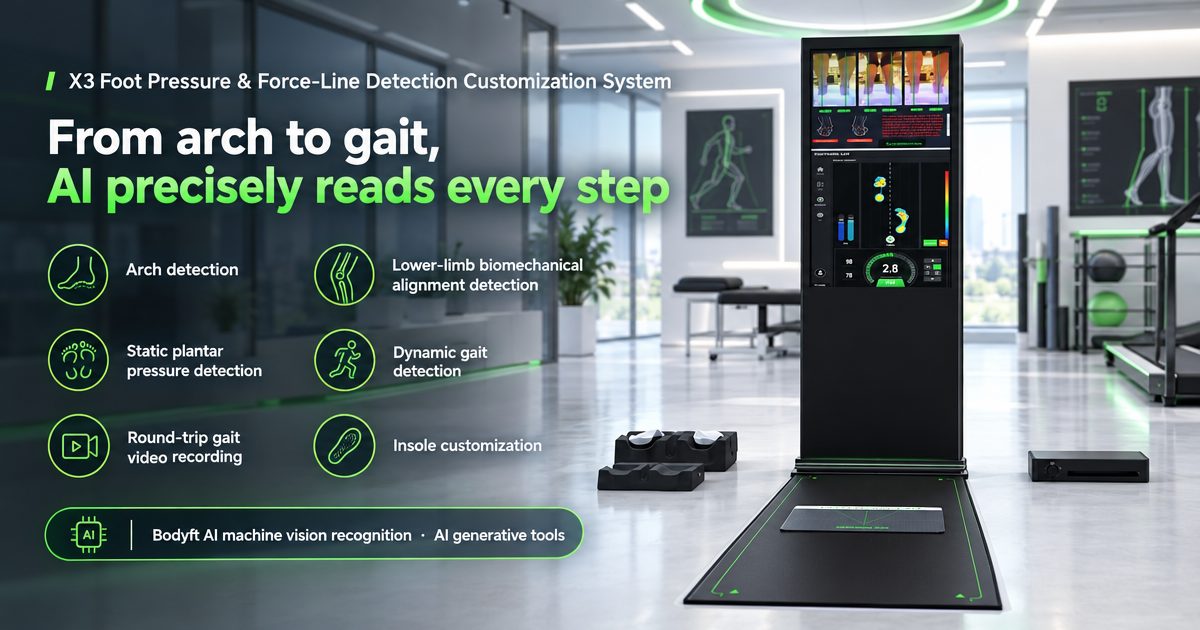
The X3 records plantar pressure distribution, foot arch type, lower-limb biomechanical alignment and a back-and-forth gait video, then supports on-site insole customisation from that record. It does not produce a shape file, and it does not use laser measurement. The phrase 3D foot scanning for orthotics belongs to the search bar; what the X3 builds belongs to a different category of device.
When to use which one
The choice follows the end of your workflow, not the front of a brochure. A practice that hands a shape model to a lab for milling wants capture that returns a clean surface; the X3 is the wrong tool for that job, and we say so. A shoe store, a podiatry clinic or a children’s fitness centre that wants to sit a customer through a session and walk away with a report wants the pressure-and-alignment record, because the output is a comparison the customer can read, not a file they cannot open.
The manual lists four settings for the X3: children’s fitness centres, podiatry clinics, shoe stores and foot therapy centres. A children’s fitness centre uses the walking video to watch a young foot develop a gait pattern, where the instruction “stand still” is often heard as “stand stiffly” and the video shows the difference. A podiatry clinic uses the record to document and compare. A shoe store uses it to open a fitting conversation and recommend footwear from its own catalogue. A foot therapy centre uses it as part of a session record. In every one of those rooms the value is the record a professional can read and revisit, not a surface model.
The cost of mixing the two up is not only the wrong hardware. A buyer who expects a pressure record to feed a milling service finds there is no surface file to send; a buyer who expects a shape file to open a fitting conversation finds they still cannot answer why a pair feels different on the move. The question to ask any supplier is concrete: what does the device record, in their own words, and can they show one real report rather than a brochure page. An answer in writing describes a relationship, not a transaction.
Where the X3 sits in that picture
The X3 manual lists six core functions: foot arch detection, lower-limb biomechanical alignment detection, static foot pressure detection, dynamic gait detection, back-and-forth gait video recording, and insole customisation. On top of that it builds a foot-and-ankle health database from plantar and alignment images, runs AI-assisted report generation on the data, and can recommend shoe models from product information entered into the system.
The shoe recommendation is a feature with a precondition that buyers routinely miss. In our pre-sales calls we keep hearing the same gap: a store expects the recommendation to work on day one, then finds it empty because no footwear catalogue was loaded into the system. The model only recommends within the stock the retailer enters, so commissioning has to include that step rather than treat it as an extra. Until the catalogue is live, the recommendation will return nothing useful, and a buyer who does not know that concludes the feature “does not work” in the first month.
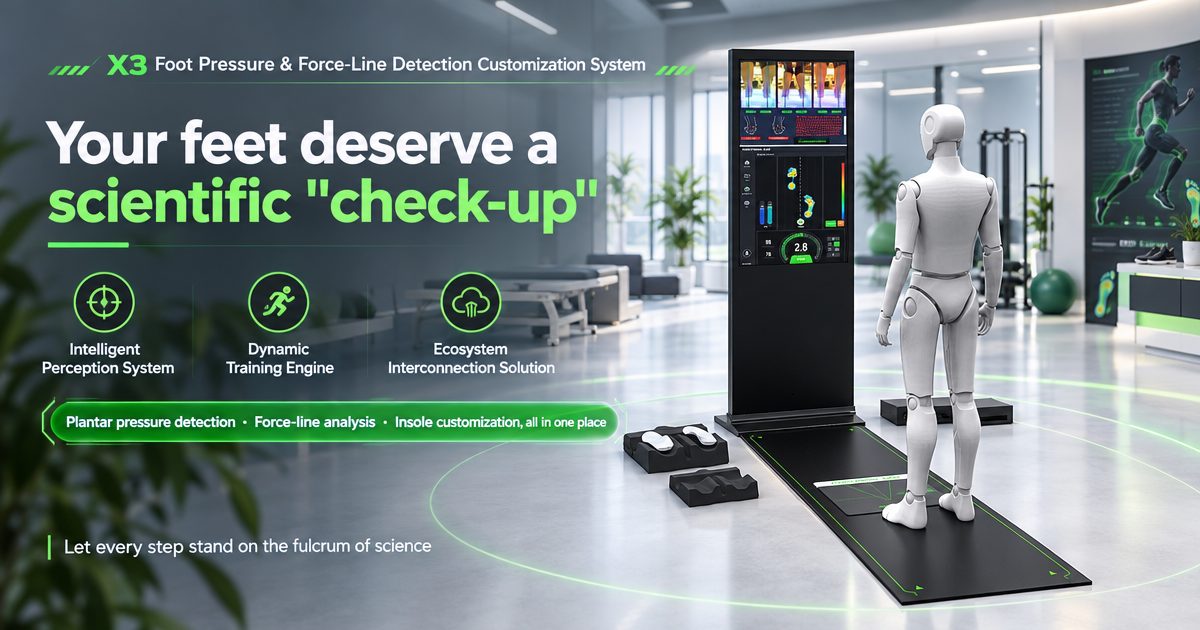
Running capture, analysis and customisation as one connected workflow is what the X3 is built around. The sensing step records plantar load and lower-limb biomechanical alignment; the analysis step turns that record into a report; the customisation step feeds the same data straight into on-site insole forming. The record never leaves the loop, which is why a follow-up visit can be placed next to the first without rebuilding anything.
How the two records combine in one session
A session on the X3 runs in a fixed order. The person stands for the plantar and arch capture, the lower-limb cameras record biomechanical alignment while standing and while bending, and then the walking pass is recorded as video so the gait can be reviewed rather than only measured. That video matters more than buyers expect: a number tells you a phase lasted longer, while the video shows you why an instruction was misunderstood, which is the kind of detail a shape file never contains.
The report carries arch type, load distribution, the biomechanical alignment view and a suggested insole option, and it can be delivered by scanning a code, sent by email, or printed on site. The manual is clear about the boundary, and we keep its wording: the conclusions drawn from the AI analysis are for reference, and anyone with a medical need should consult a professional institution. A camera can record that a heel sits at an angle; whether that angle matters for this person, this week, with this training load, is a clinical question the software will not answer.
Comparing two visits is where the record earns its keep. Because the X3 stores the session against a named user, a follow-up sits beside the first without anyone hunting for a printout. That comparison is only fair if the capture conditions match, which is why we suggest writing a short protocol — footwear off, same stance instruction, same operator where possible — and keeping it on the wall beside the unit. A store that prints on site needs paper and a printer; a store that emails needs an email field in the intake step. Both are small decisions that decide whether the record is actually used.
Session length follows the operator more than the hardware. A first-time customer needs instructions repeated, shoes and socks handled, and a moment to stand naturally; a returning customer who knows the sequence moves through it in a fraction of the time. Stores that plan for the slower version and treat the faster one as a bonus end up with better records than stores that design around the best case, because the record depends on a calm, understood capture more than on the clock on the wall.
Frequently asked questions
Is the X3 a 3D foot scanner?
No. In the market, “3D foot scanning” is a name for shape capture — it records the form of the foot. The X3 is a foot pressure and force-line detection system: it records plantar pressure, foot arch type, lower-limb biomechanical alignment and gait video, and supports on-site insole customisation. It does not produce a shape file, and it does not use laser measurement.
What does the X3 record that an orthotic workflow needs?
An orthotic workflow needs to know how load is distributed and how the leg aligns, not just what the foot looks like. The X3 records plantar pressure distribution, foot arch type, lower-limb biomechanical alignment (the manual’s force line), and a back-and-forth gait video, then supports on-site insole customisation from that record.
How does pressure data feed an orthotic workflow?
The captured pressure and alignment record becomes the basis for on-site insole customisation — the operator works from the same data the system recorded, rather than from a shape file sent to a milling service. The report can be retrieved by scanning a code, sent by email, or printed on site, so the record travels with the customer into the customisation step.
Which rooms use the X3?
The manual lists children’s fitness centres, podiatry clinics, shoe stores and foot therapy centres. A children’s fitness centre uses it to watch a young foot develop; a podiatry clinic uses it to document and compare; a shoe store uses it to open a fitting conversation and recommend footwear from its own catalogue; a foot therapy centre uses it as part of a session record.
What is the minimum order and how is it supported?
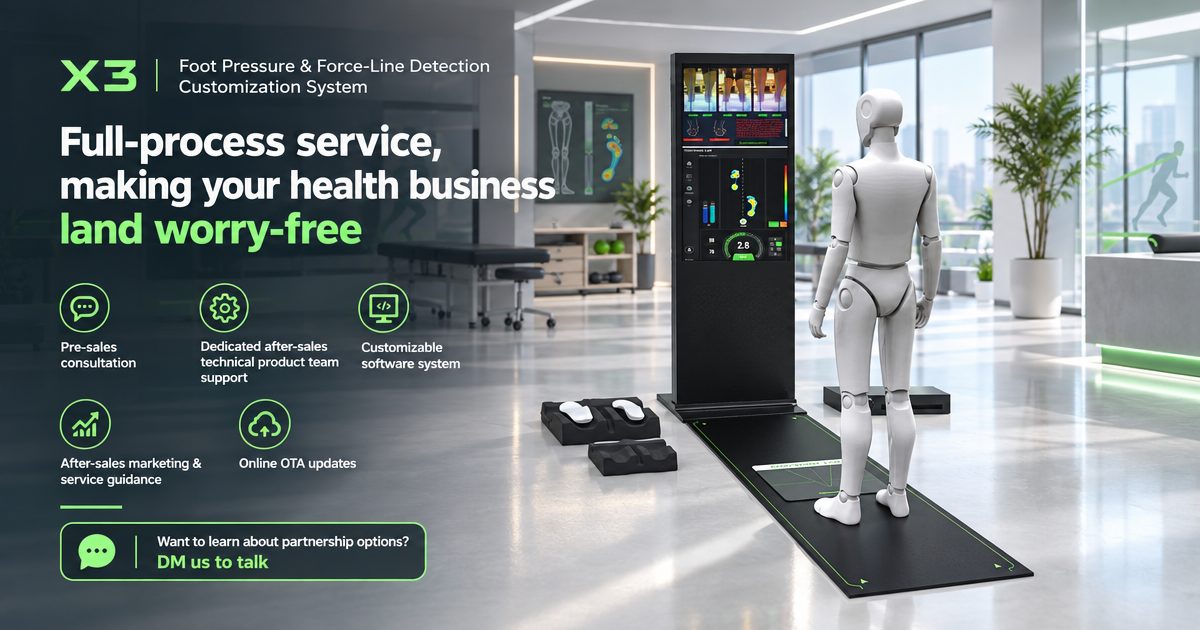
The minimum order for equipment is one unit. Every unit is tested for seven days before dispatch and carries a twelve-month warranty against non-human damage with free parts. Support runs through a dedicated WhatsApp group with our engineers, remote assistance where a screen can be shared, and over-the-air updates for connected units. Insole volumes and customisation materials are quoted on their own terms.
Does the X3 replace a clinician’s assessment?
No, it records data; interpretation stays with the professional. The report states that conclusions drawn from the AI analysis are for reference and that anyone with a medical need should consult a professional institution. The cameras record that a heel sits at an angle; whether that angle matters for this person is a clinical question the software does not answer.
What we would do next
If you are comparing systems under the phrase “3D foot scanning for orthotics”, write one page describing the session you want to run and the output you want to hold at the end of it. Send it to us with your store or clinic layout and we will tell you which of the six X3 functions you would actually use and which you would not. Our FAQ page lists the order, warranty and transit terms in full, and our team can size a configuration from your floor plan.
If your workflow genuinely needs a shape file for milling, tell us in the first message. We will say plainly that the X3 records pressure and biomechanical alignment rather than foot shape, and point you to the right category of device so you do not buy a record you cannot use. Being clear about what the X3 is — and is not — protects a buyer from a wrong order far better than a confident pitch would.
This article is intended for professional and educational reference. It is not medical advice. Foot assessment equipment produces measurements and images; clinical interpretation and any decision about care remain the responsibility of a qualified professional. Certification scope is limited to the documentation we hold: European Union certification and ISO quality system certification.